Overview
What Is This Service?
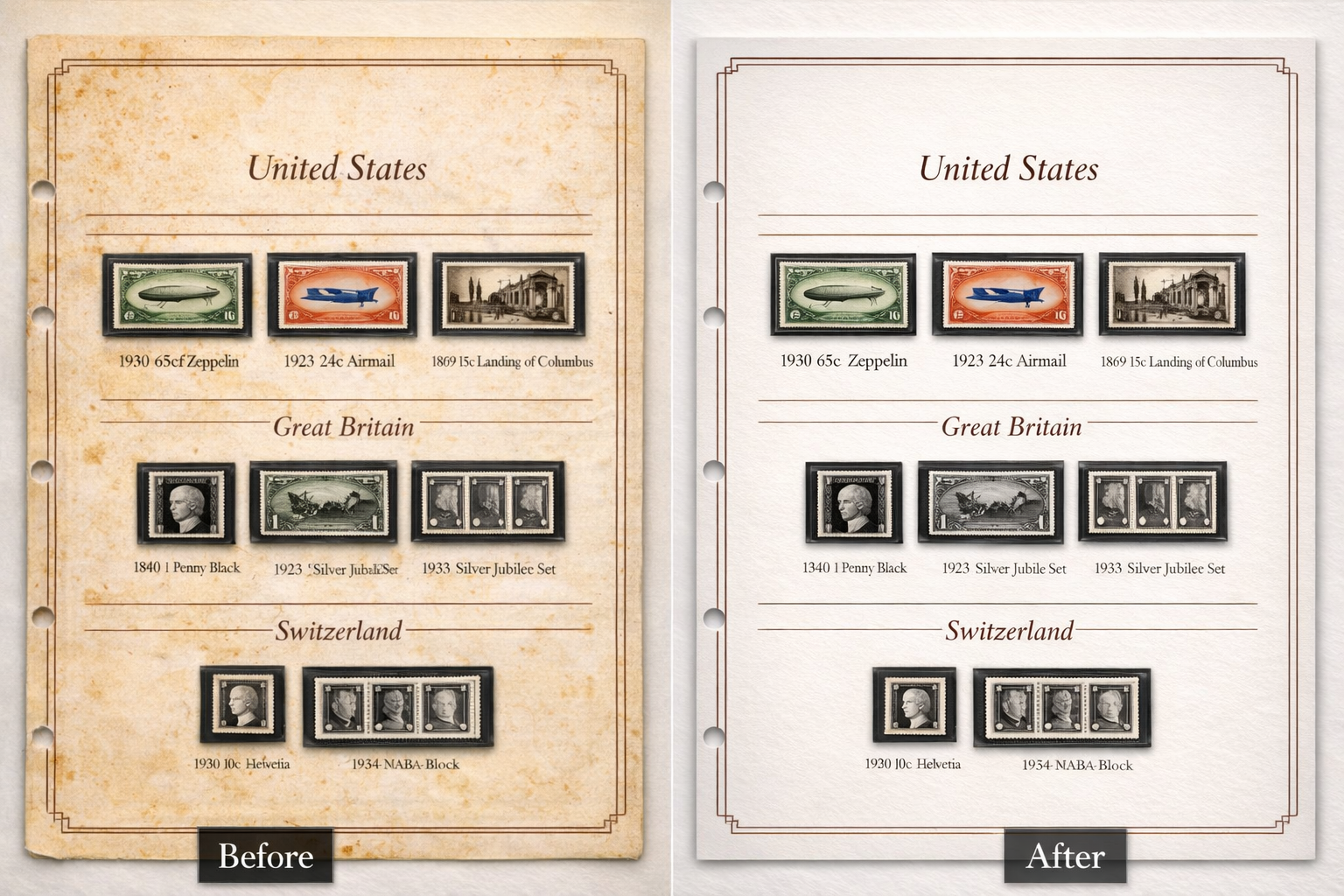
Scanned album pages often need two layers of care: first, a careful cleanup of age-related marks and scan imperfections; second, a controlled enhancement pass so the page reads clearly on screen and in print. Using Adobe Photoshop, we treat your scans as archival work — preserving stamp images, text, and layout while improving the page as a whole.
Cleaning & Restoration
What We Remove
- Black marks, smudges, ink spots, and foxing on page backgrounds
- Yellowing, uneven tone, and mild discoloration
- Scan artifacts — dust, scratches, lines, shadows, and uneven lighting
- Optional background smoothing where it improves readability without harming stamp detail
Enhancement & Finishing
What We Improve
- Sharpening and clarity adjustments for stamp impressions and fine detail
- Contrast, brightness, and color correction for faded or washed-out pages
- Straightening, alignment, and consistent margins for a polished layout
- Resolution and output sizing suited to printing or digital albums
- Delivery in PDF or high-resolution image format
Process
How We Work
01
Assess the Scan We review resolution and identify what can be improved safely without damaging stamp or text detail.
02
Clean the Page We restore the page background and remove distractions while keeping stamps and printed text completely untouched.
03
Enhance & Deliver We refine presentation quality, then deliver files ready for your archive, album printing, or sharing workflow.
Important: Stamps and printed album text are not redrawn or replaced — all work focuses on the scanned page as a digital document. If a scan is very low resolution, we will tell you upfront exactly what results are realistic before any work begins.